
CDR cutting add-on
Runs inside CorelDRAW. Trace an irregular shape in one click, nest and step-and-repeat, generate knife and crease lines, send them to the machine.
- Super tracing
- Auto nesting
- Knife / crease
- Registration marks
- Direct to machine

Pick the art, trace the outline, nest the sheet, generate the knife path, send it to the cutter.
No separate PLT export, no half an hour hand-tracing an awkward shape.
No watermark · nothing stamped into the artwork or the PLT file
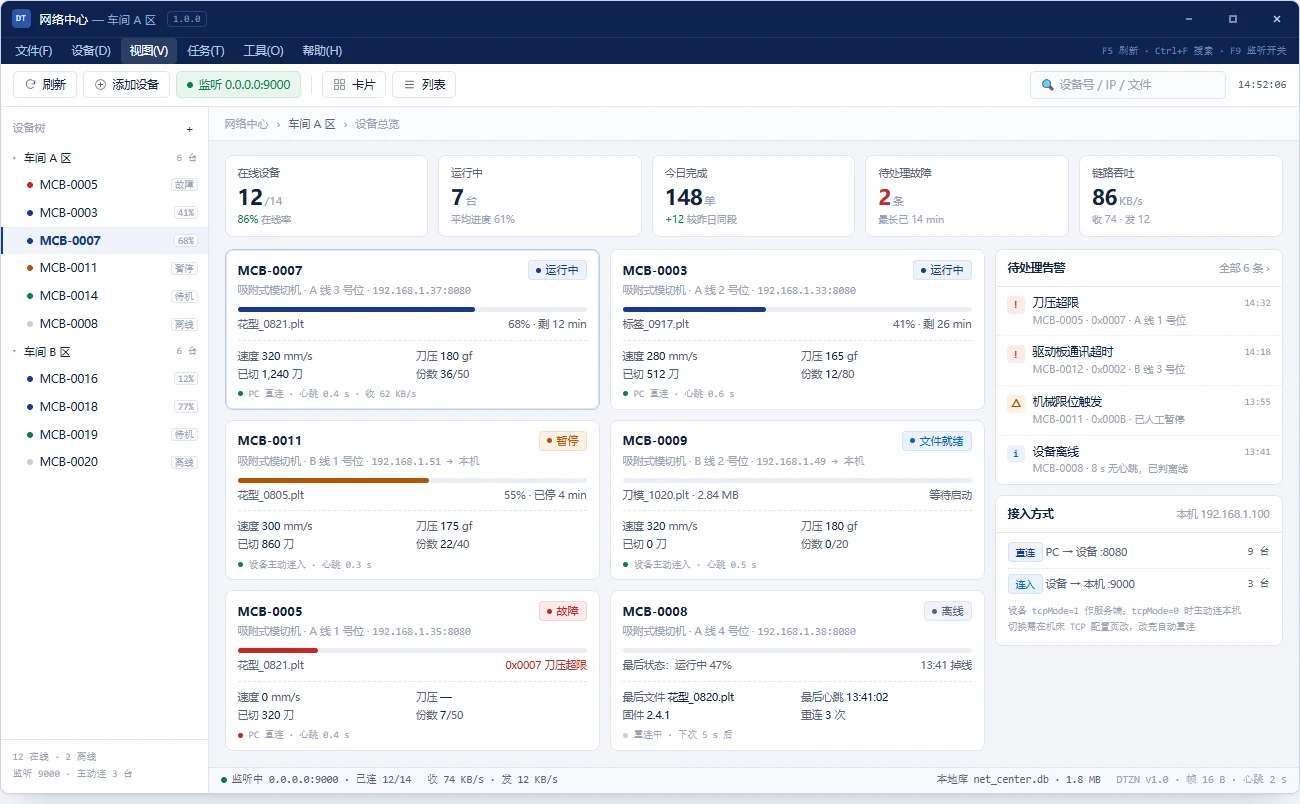
Design stays in CorelDRAW, the craft lives in the send window, the shop floor is run from one PC. Use any of them alone, or all three as one line.
Runs inside CorelDRAW. Trace an irregular shape in one click, nest and step-and-repeat, generate knife and crease lines, send them to the machine.
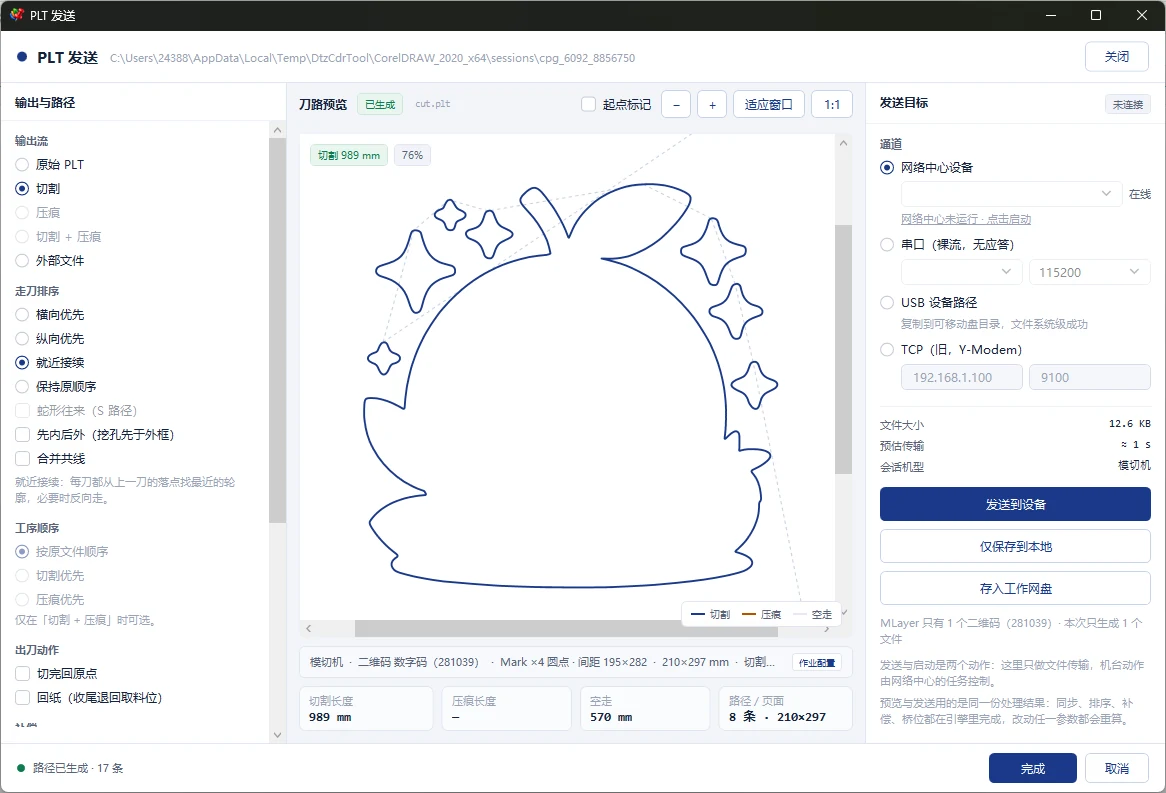
A window of its own: arrange the PLT, then send it. Walk order, compensation and bridges are decided here, without touching the artwork.
One PC runs every machine in the shop. Job queue, transfer progress, fault read-back, several machines fed at once. Supplied with the equipment, not distributed on its own.